 BaseCero
// Local-first · Open source · No cloud
Your money,
from zero.
Personal finance that lives entirely on your device. No server, no accounts, no cloud. And your month starts the day you get paid, not on the 1st.
Opens in your browser · 0 installers · 0 accounts
// What BaseCero doesn't have
0
Servers
0
User accounts
0
Trackers and cookies
€0
Cost · MIT license
// Installation
It installs like an app.
But there's no store and nothing to download.
BaseCero is a website your browser keeps as an application: its own icon, full screen and offline support. It takes ten seconds and asks for nothing in return.
Android
Chrome · Edge · Brave
- Open basecero.alvarotc.com/app/ in Chrome.
- Accept the “Install app” prompt if it shows up.
- If it doesn't: menu ⋮ → “Add to Home screen”.
iPhone and iPad
Safari only
- Open the app in Safari.
- Tap the Share button in the bottom bar.
- Scroll down and choose “Add to Home Screen”.
Desktop
Chrome · Edge
- Open the app in Chrome or Edge.
- Click the install icon on the right of the address bar.
- Confirm “Install BaseCero”.
On iPhone it has to be Safari. iOS doesn't allow installing web apps from Chrome or Firefox. That's an Apple limitation, not a BaseCero one.
Once installed, open it from its icon and it works offline. To uninstall it, just delete the icon, and your data goes with it.
// How it works
Your month starts the day you get paid.
Not on the 1st. BaseCero orders money into payday-to-payday periods, and everything else falls into place from there: the budget, what's actually available and the expenses you split.
The four promises
Local, always
No server and no sign-up. Your data lives in a database inside your browser. It works in airplane mode.
Your data is a spreadsheet
Export and import as .xlsx whenever you want. Nothing gets locked inside the app.
Payday-to-payday periods
The budget and the “actually available” figure follow your pay cycle, not the calendar.
Shared expenses and budgets
Settle up the expenses you split with someone else and keep every category under its limit, period after period.
// Inside the app
Every category,
its own colour.
The background is aluminium grey in the light theme and graphite in the dark one. Colour comes from the category: each one has its family and carries it across the app, always next to its icon and its name, so it reads at a glance, colour blindness included.
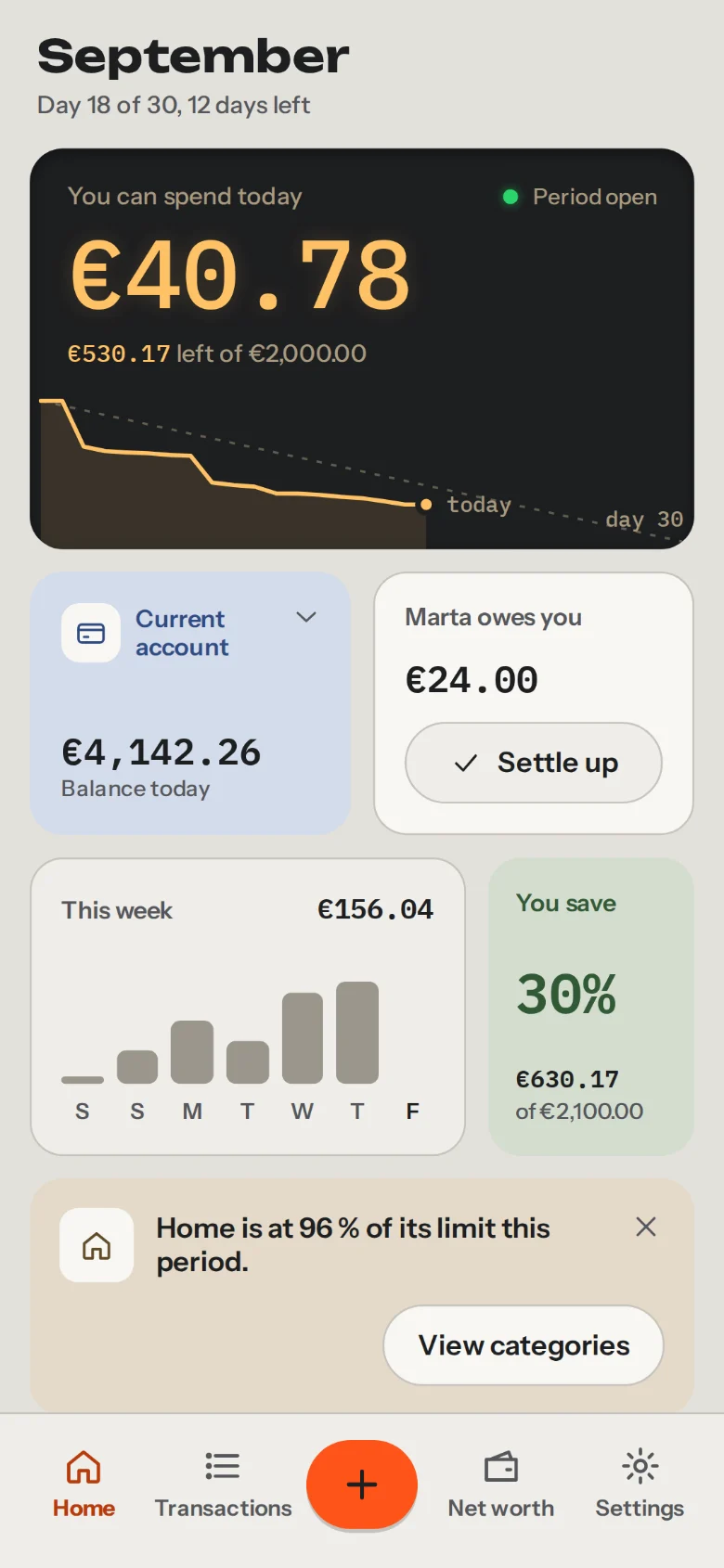
Home
What's left of the period, where it went and what's still to be paid.
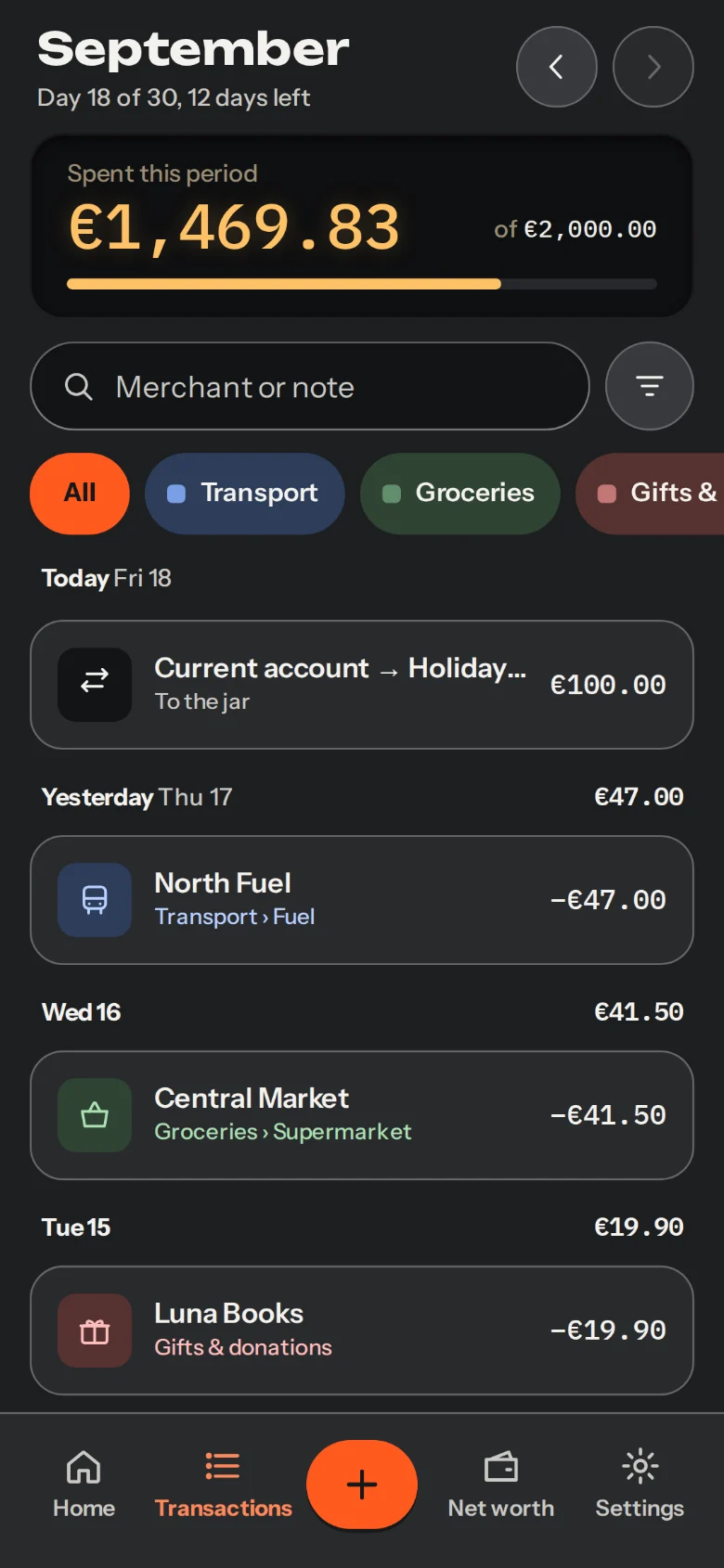
Transactions
Grouped by day, in the dark theme. Each entry carries its category's icon and colour.
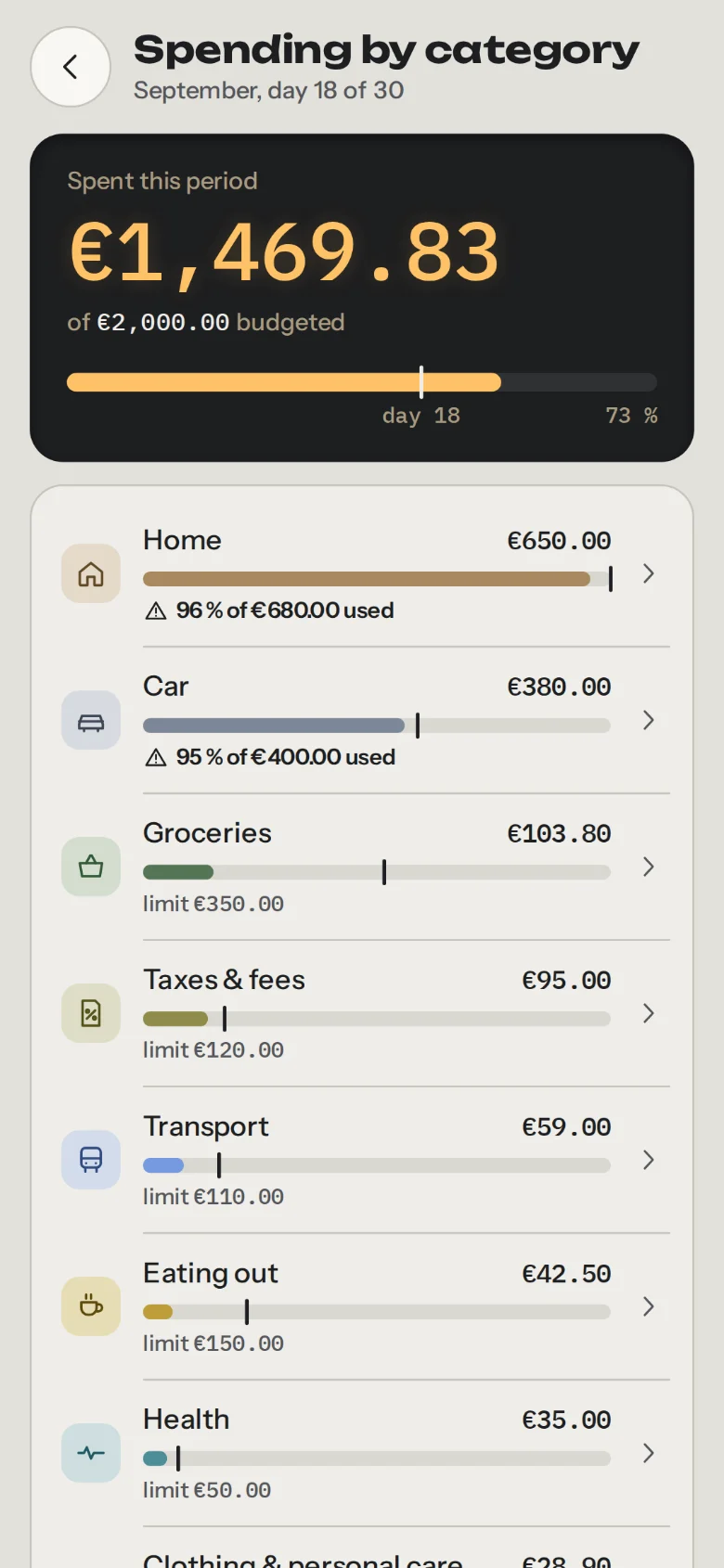
Spending by category
All your categories, sorted by spend. Set, change or remove the limit right there.
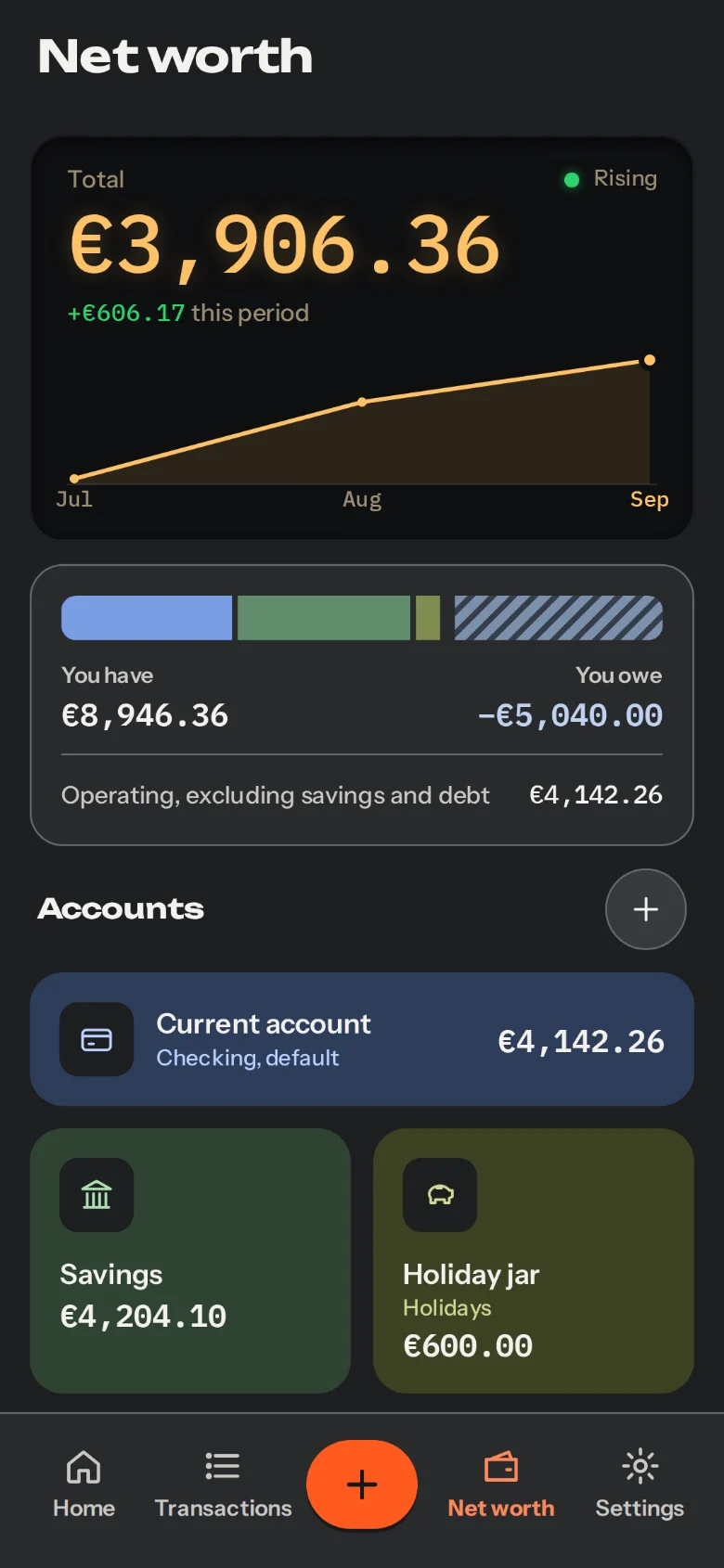
Net worth
Accounts, debts and savings goals, in the dark theme. Your net worth, period after period.
// Questions
What people
usually ask.
Missing one? Ask in the repository: they get answered there, in the open.
Ask a questionWhere's my data?
On your device, in a local database in the browser (OPFS). BaseCero has no server: nothing leaves that database unless you export it. One exception, and you choose it: if you dictate an expense with the mic, the browser sends your voice to its server to recognise it. If you type it, the sentence is parsed on your device.
How do I back up?
Export a plain .xlsx (to open in Google Sheets or LibreOffice) or a password-encrypted .bce copy. You decide when and where to keep them.
Which banks can I import from?
N26 has a direct import profile with deduplication. For any other bank, a generic assistant maps the columns of its CSV export.
What does it cost, and what's the license?
It's free and open source, under the MIT license. You're free to read, modify and reuse the code.
Does it have analytics or cookies?
None, by design. There's no server to receive anything you do in the app, so there's no cookie banner either: there's nothing to consent to.
What if I lose my device?
The data lives only there. If you hadn't exported a backup first, it's gone with the device. That's why it's worth exporting copies regularly.
Is there a dark theme?
Yes. In Settings you pick light, dark or whatever your system uses. The category colours adjust to each theme.